TL;DR: Consistency breaks because guidelines were written for static work, assets are scattered, and feedback never reaches the next editor. Write a video-specific reference: color grading, motion typography, transitions, audio levels, logo placement in frame. Give editors the actual project file, not a PDF. Templates enforce the rules so nobody has to remember them. Centralize feedback so one correction becomes a system change rather than five separate fixes. Audit your last 10 videos every quarter against five criteria and feed what you find back into the templates.
You send the same brief to three editors. You get back three videos that feel like they were built for three different brands. The colors are slightly off and pacing is inconsistent. The lower thirds don't match. Each video is fine on its own, but together, they don't add up to a brand.
This is what happens when you scale video production without a system enforcing brand consistency. More editors means more creative interpretation, and suddenly you're spending more time correcting work than producing it.
In this post, we break down how to maintain brand consistency across multiple video editors, from standardizing your guidelines to centralizing feedback and production through a single platform like SoCreative.
Key takeaways
- Brand guidelines are often built for static content and they don't always cover video-specific details like color grading, transitions, and audio levels, which is where most inconsistency starts.
- Scattered assets and fragmented feedback are the two biggest causes of brand drift across multiple editors.
- Centralizing your templates, approved assets, and revision notes in one place removes the guesswork that causes editors to interpret your brand differently.
- A quarterly video brand audit helps you catch drift early and turn corrections into permanent system updates.
- A subscription service like SoCreative lets you scale video production through a single platform where your brand standards are built into the workflow from the start.
Why consistency breaks across editors
Consistency breaks for three reasons, and none of them is the editors. Guidelines that were written for static work, assets nobody can find in one place, and feedback that never reaches the next person.
Brand guidelines weren't built for video: Most brand guidelines are designed for static content like logo placement, color codes, and typography rules. They don't always translate easily to video. With no specific details about color grading, transition style, and audio level, each editor makes their own call which directly leads to large variations across the board.
Asset access is fragmented: When your fonts, motion graphics templates, and approved music tracks live across different folders, drives, and inboxes, editors pull from whatever they can find. That's how outdated logos end up in published videos.
Feedback never reaches the whole team: When revision notes are scattered across email threads and Slack messages, revisions happen in isolation as well. One editor fixes the mistake, but the next editor repeats the same mistake because they never saw the correction. There's no shared record of what was flagged, what was changed, or why. Every editor is working from their own version of what "right" looks like, and that version drifts further from your brand with every project.
The system that keeps editors aligned
The system has five parts, and each one removes a decision an editor would otherwise make alone.
Step 1: Create a video-specific brand reference
General brand guidelines don't cut it for video. You need a reference that covers color grading profiles, typography in motion, standard transitions, audio levels, logo placement within the frame, and tone of narration. If your editors have to interpret a static PDF to make video decisions, you've already introduced variability.
Step 2: Centralize approved assets along with guidelines
A document telling editors what to do is different from giving them the actual tools to do it. Put your pre-built intro and outro sequences, motion graphics templates, color grading presets, approved music tracks, and font files in one place.
Step 3: Build templates
When every editor starts from the same project file, with branded lower thirds pre-loaded, the intro already built, and the color grade applied, achieving brand consistency gets easier. You stop relying on editors to remember the rules and start relying on the system to enforce them.
Step 4: Centralize feedback so corrections become system improvements
By centralizing feedback, you are able to catch the same mistake appearing across multiple deliverables and fix it at the source, instead of correcting each video individually. Over time, your feedback log becomes a reference that editors cross reference before each delivery.
Step 5: Run a quarterly video brand audit
Every quarter, pull your 10 most recent videos and watch them back to back in one sitting. Score each video against your brand guide on five specific criteria: color grading, typography in motion graphics, pacing and cuts, audio levels, and CTA placement. Flag anything that has drifted from the standard and track which editors or project types are producing the most inconsistencies. Then take those findings and add them to your guideline and feedback document.
How SoCreative keeps video on brand
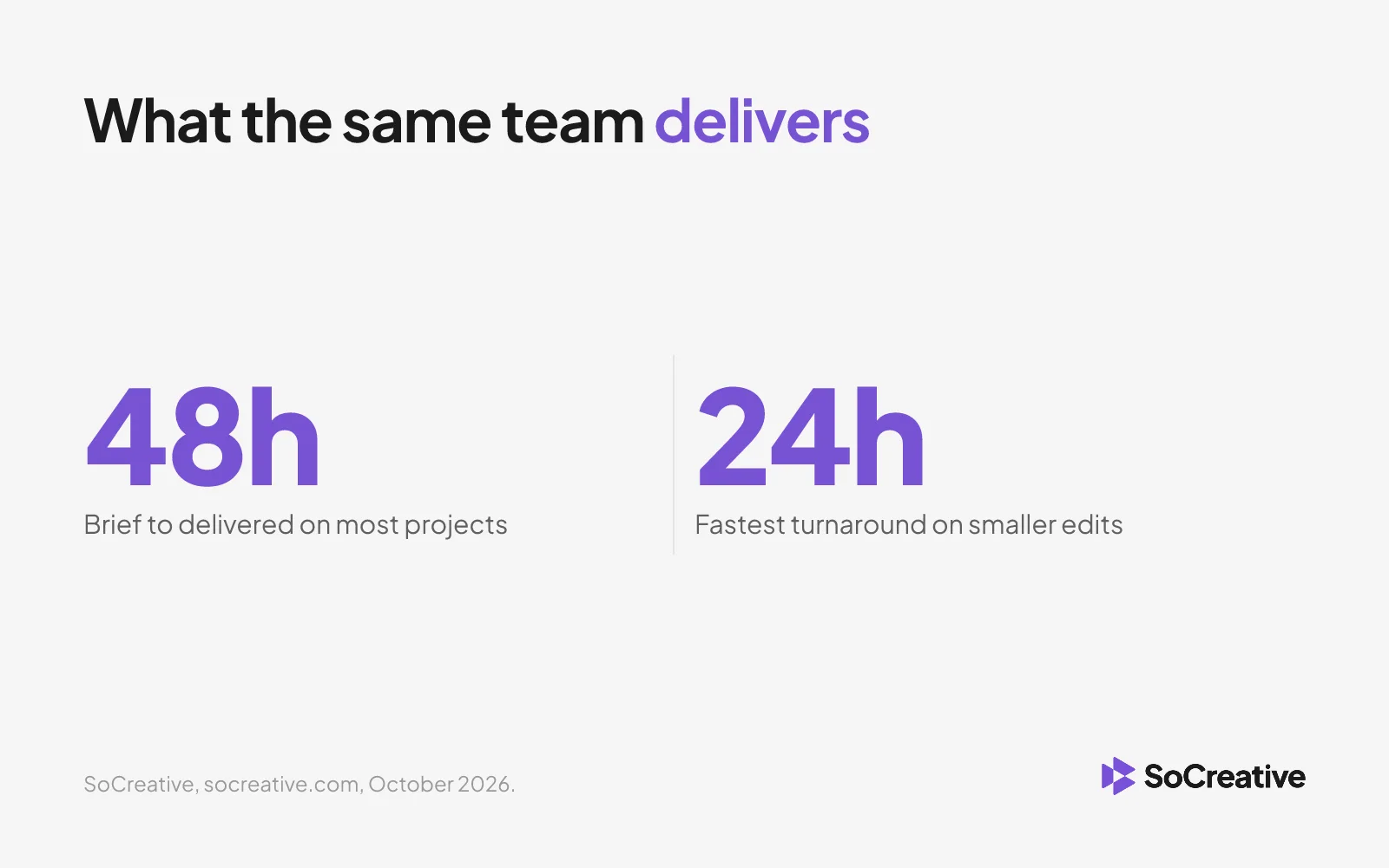
SoCreative is a subscription-based video production service that gives you a dedicated production team without the overhead of hiring one. You submit a brief, get matched with vetted editors and videographers, and receive finished videos in 24 to 48 hours on most projects (socreative.com, read October 2026). Everything from briefs to feedback to final delivery happens inside one platform.
That single-platform setup is exactly what makes brand consistency possible at scale. Most consistency problems come from fragmented workflows. SoCreative replaces that fragmentation with a production system where everything your editors need is already built in, and the same editors come back to your brand brief after brief, so they stop needing to be told.
If your team is already producing video but consistency is slipping as output grows, look at the production system before you look at the editors. SoCreative gives you a way to produce video consistently without adding complexity to your workflow.
Frequently asked questions
Written by

SoCreative team